


The desk setup checklist: what to buy, in what order

The desk setup checklist: what to buy, in what order
Most people buy setup gear in the wrong order: RGB first, chair last. Here’s the order that pays off soonest, ranked by hours of use per pound spent.
- Chair
- Desk height
- Keyboard and mouse
- Headset
- Mouse pad
- Webcam and mic (only if you stream or take calls)
- Cable management
- Light behind the monitor
- Then the fun stuff
01Chair
You’ll sit in it for more hours than you’ll use anything else on this list. Get the shape right for how you sit — we wrote a separate guide on that.
02Desk height
If your elbows aren’t at roughly 90° with your shoulders relaxed, everything else is compensation. A height-adjustable desk fixes it for everyone in the household — and lets you stand for the afternoon.
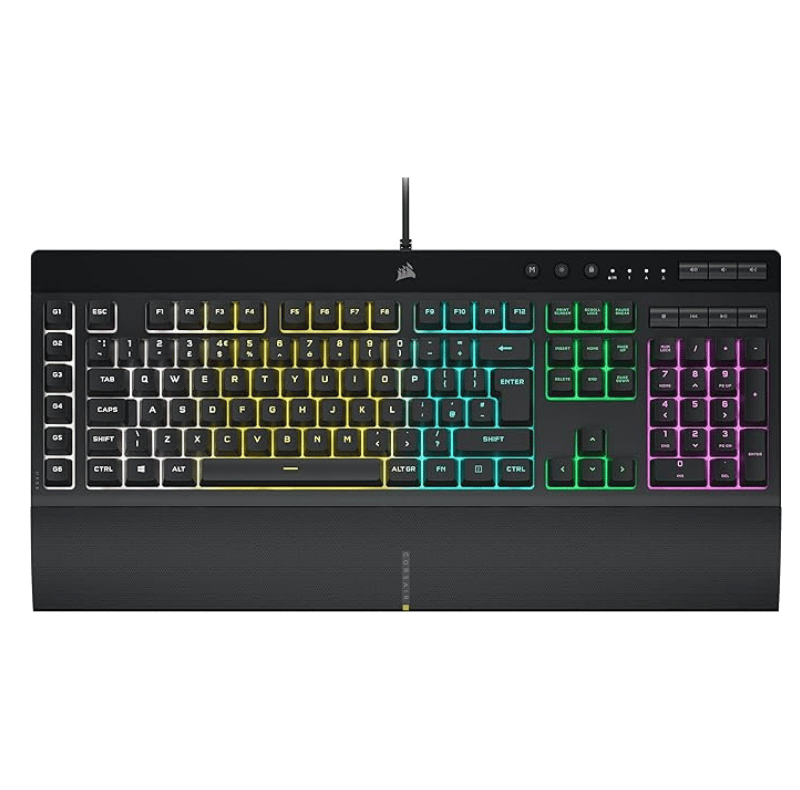
03Keyboard and mouse
The two things you touch constantly. Prioritise a keyboard layout you like and a mouse that fits your grip; RGB is a bonus, not a spec.
04Headset
Comfort over an eight-hour session beats surround features. Detachable mic if you also do calls.
05Mouse pad
A stitched-edge pad with a non-slip base — cheap, and it stops the mouse skating and the edges fraying.
06Webcam and mic
Only if you stream or take video calls from this desk. See the streaming starter kit guide for the right order there.
07Cable management
Ten minutes and a few clips. Nearly free, and it makes everything look intentional.
08Light behind the monitor
A bias light bar reduces eye strain in a dark room and looks better than any desktop RGB. Music-sync is a party trick; the constant warm-white setting is the one you’ll actually use.
09Then the fun stuff
Stream deck, ambient RGB, desk mats. By now they’re finishing touches on a setup that already works.